Serial Vision for Windows

Serial numbers, MAC addresses, and equipment records — from a photo to a ready register.

Browse labels, recognize text and barcodes locally, verify the result, and keep receipts and issues in your own database.
RapidOCRworks offline 1D / 2Dbarcode reading CSVExcel compatible APIBAS/1C integrations
Photo recognition: OCR, barcodes, and AI profiles
Practical tools

One local application for photos, records, and controlled data.

The features shown here match Serial Vision 0.4.1, the current desktop release for Windows and Linux.

⌕

Local OCR

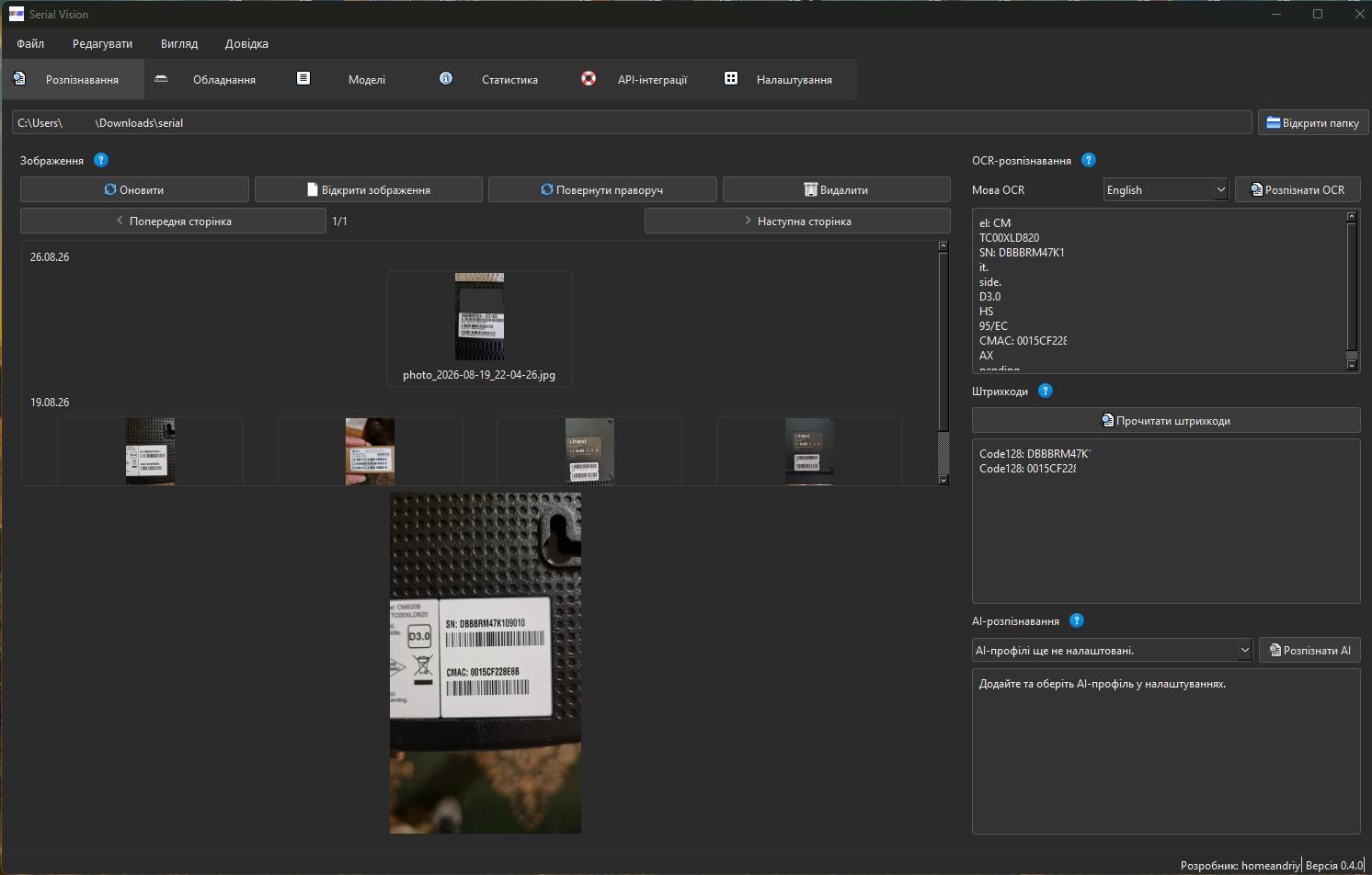
RapidOCR reads labels without an internet connection. Choose English, Ukrainian, or Polish and verify the result manually.

▤

1D / 2D barcodes

Read supported barcodes from a photo beside OCR as a useful additional serial-number check.

✦

AI when you choose

Connect OpenAI, Anthropic, or Gemini profiles for difficult photos. An image is sent only after your explicit action.

▣

Equipment register

Store a number, contract, receipt or issue, model, type, service, date, and a link to the source photo.

⇩

CSV and Excel

Filter records by date range, model, operation, type, service, or text and export the complete selection.

⌘

Local API for BAS/1C

Enable an API only on 127.0.0.1, with Bearer keys, request limits, OpenAPI documentation, and an operations log.

Your workflow

Photo, verification, record.

OCR: SN: DBBRRM47K109010
Barcode: 0015CF22868B
Model: Arris
✓ Ready for verification
Three steps

Clear from a photo folder to a controlled register.

01
Choose a label photo
The catalog scans supported files recursively, groups them by date, and lets you preview, rotate, and open an image.
02
Verify OCR, barcode, or AI
Local OCR and barcode reading run for the selected photo; you can correct the result before saving.
03
Register the operation
Add a model, receipt or issue, type, and service. Later find the record through filters, CSV, or statistics.
Records and integrations

Control equipment from the first photo to a ready report or API request.

Serial Vision combines fast daily data entry with detailed filtering, CSV reports, and a local API for integrations.

▣

Equipment records without unnecessary steps

Add a record as soon as you verify a number, edit it in the table, and always return to its linked source.

  • Easy creation: serial number or MAC address, contract number, model, device type, service, date, and a Receipt or Issue operation.
  • Quick editing and deletion of records, plus opening the source photo from the equipment record.
  • Broad filtering by period, model, operation, type, service, serial number, MAC address, or contract number.
  • A separate model directory with usage control and Excel import.

The CSV report contains the entire active selection, not just the current table page. Its encoding is chosen for trouble-free opening in Microsoft Excel.

⌘

Local API for BAS/1C and other platforms

Enable a REST API only on 127.0.0.1 when needed. It lets a local app integrate with BAS/1C, an internal service, or your own script without exposing a port to the internet.

Practical report example GET /api/v1/equipment?date_from=2026-08-01&date_to=2026-08-31&operation=issue&service=internet&model_id=2 Returns August records: only internet-equipment issues for the model with ID 2. You can also send search, type, and other filter parameters.
Adding and changing data POST /api/v1/equipment POST creates a record; PATCH /api/v1/equipment/{id} edits it; DELETE /api/v1/equipment/{id} removes it. Matching GET, POST, PATCH, and DELETE routes are available for models.
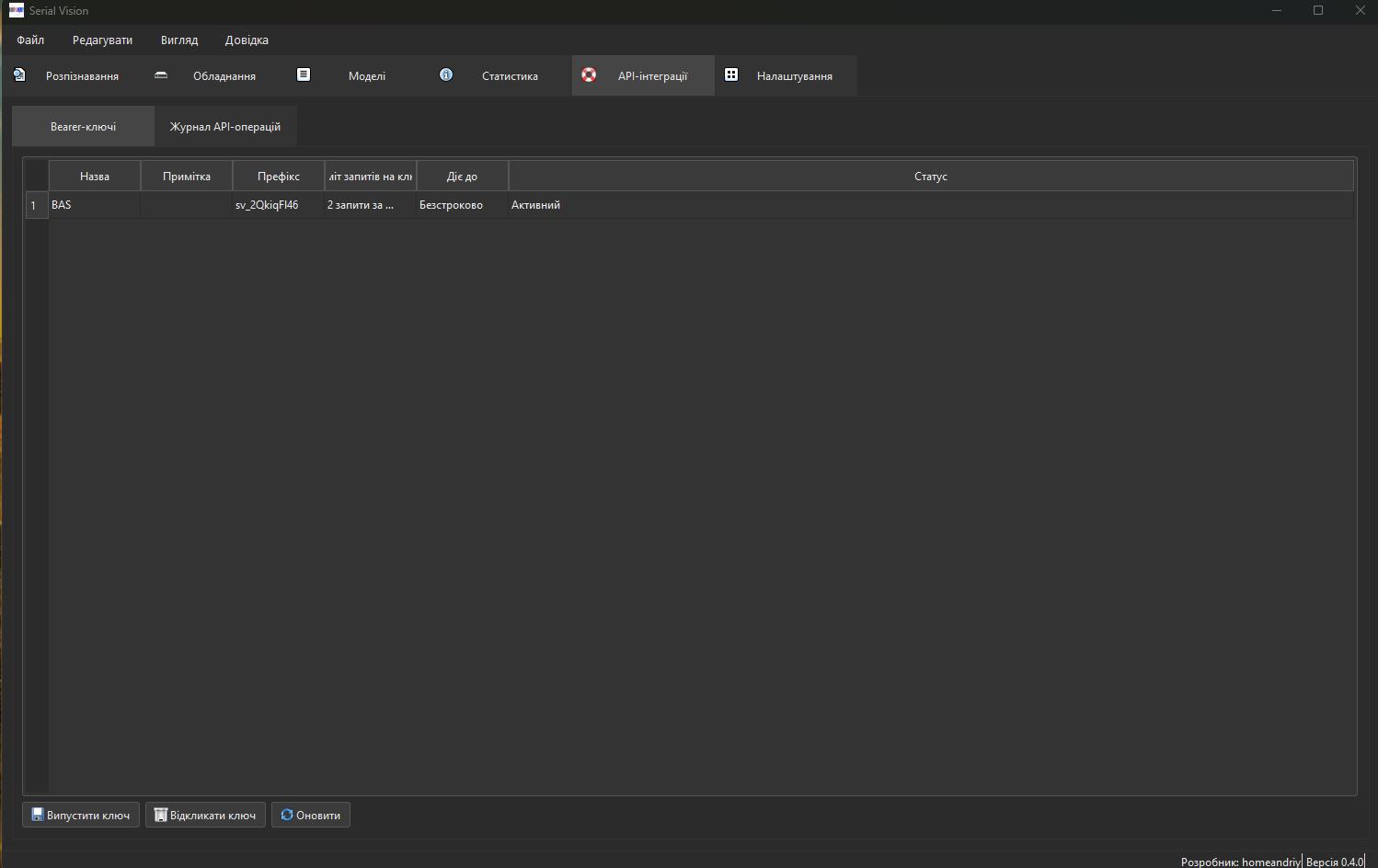
  • Bearer keys with a name, expiry, revocation, and a per-key request-rate limit.
  • OpenAPI JSON and a Swagger page with request examples for quicker BAS/1C, RPA, or custom-platform integration.
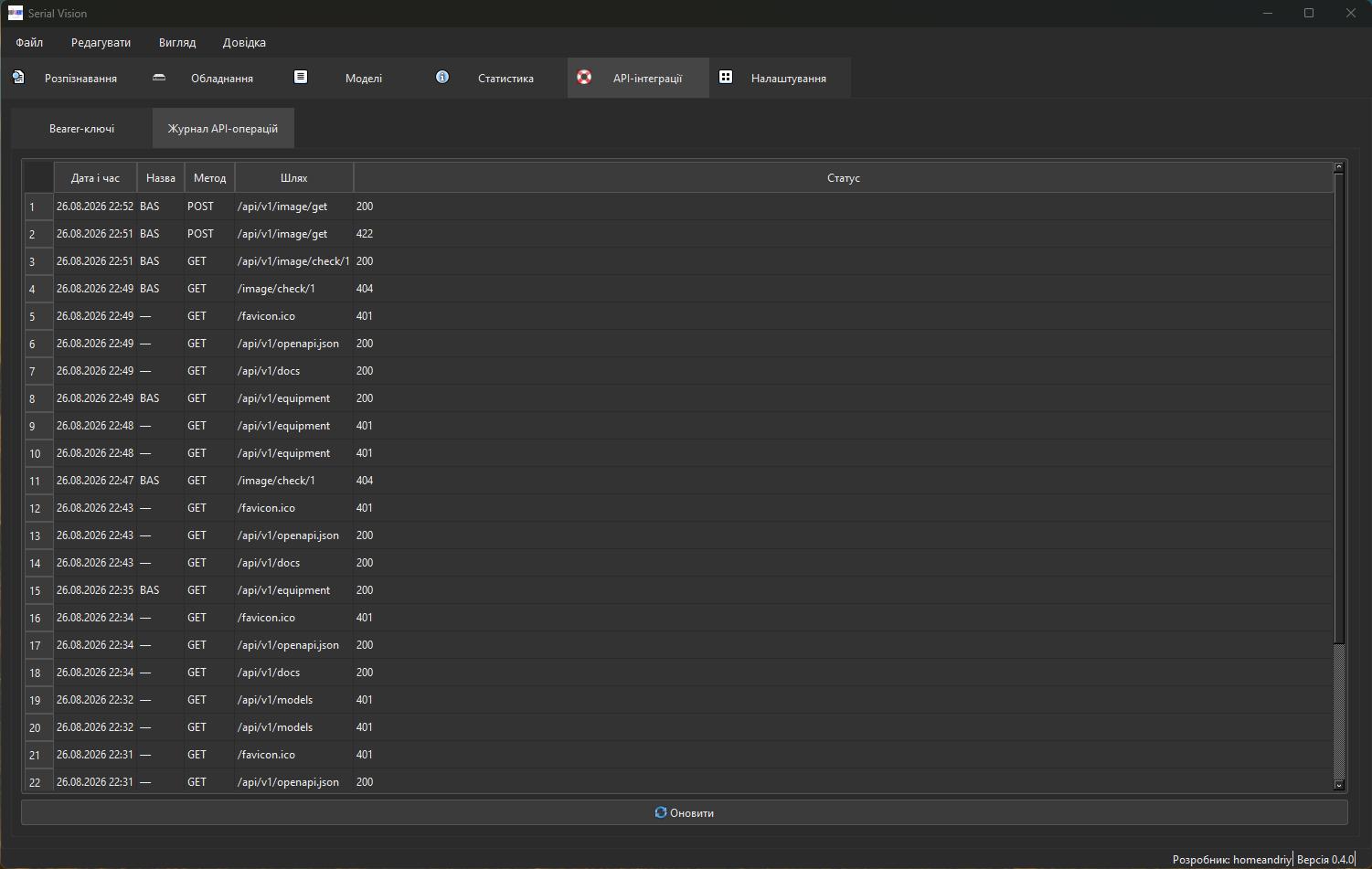
  • A local API operations log with timestamp, key, method, path, and response status for integration diagnostics.

The API never returns a file path. If the source photo is still on disk, an integration checks it through GET /api/v1/image/check/{record_id} and retrieves its bytes through POST /api/v1/image/get to verify the label.

The app at work

From a label photo to integration with your records.

Explore Serial Vision’s core screens: recognition, equipment register, models, statistics, API, and settings.
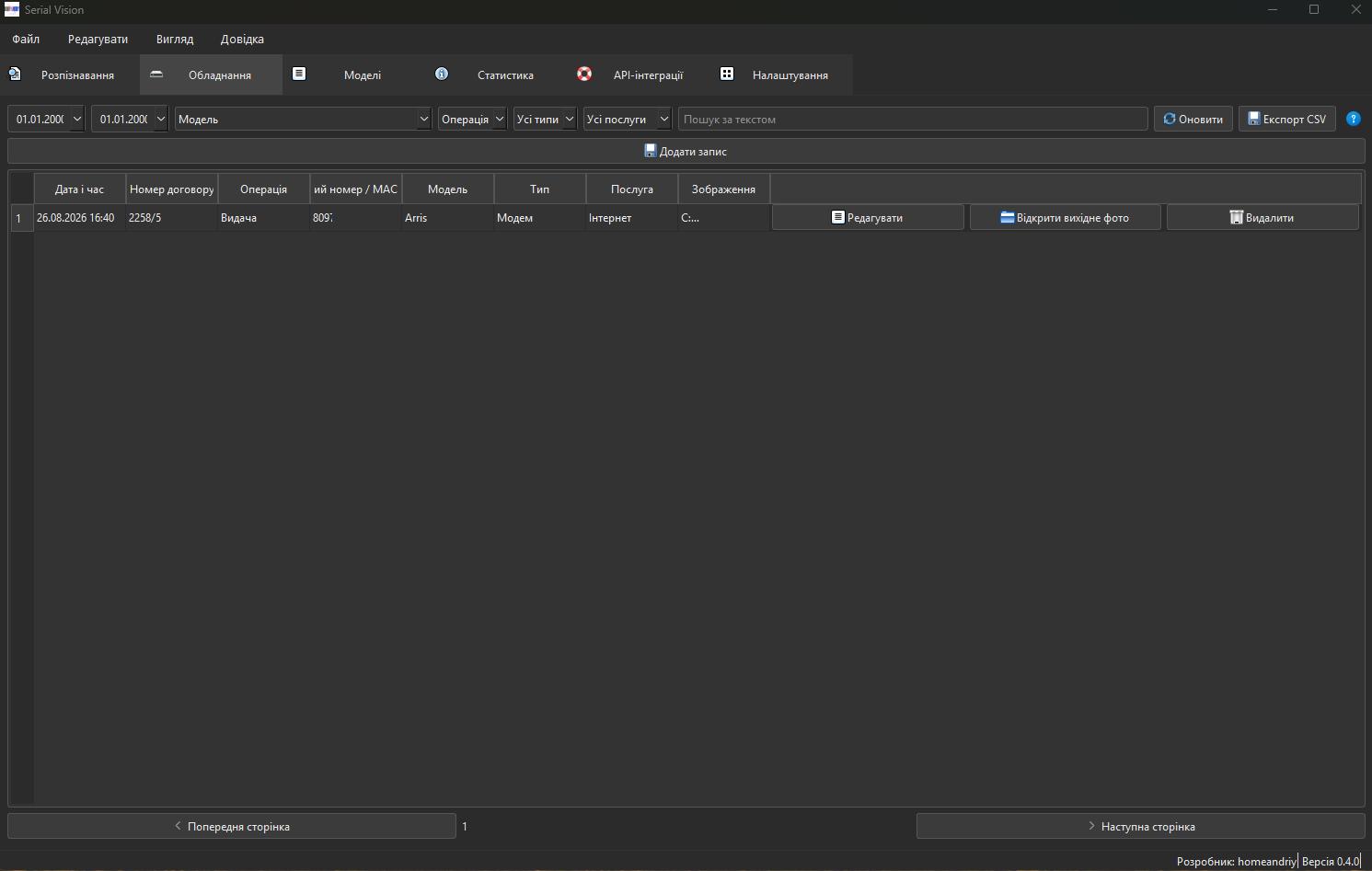
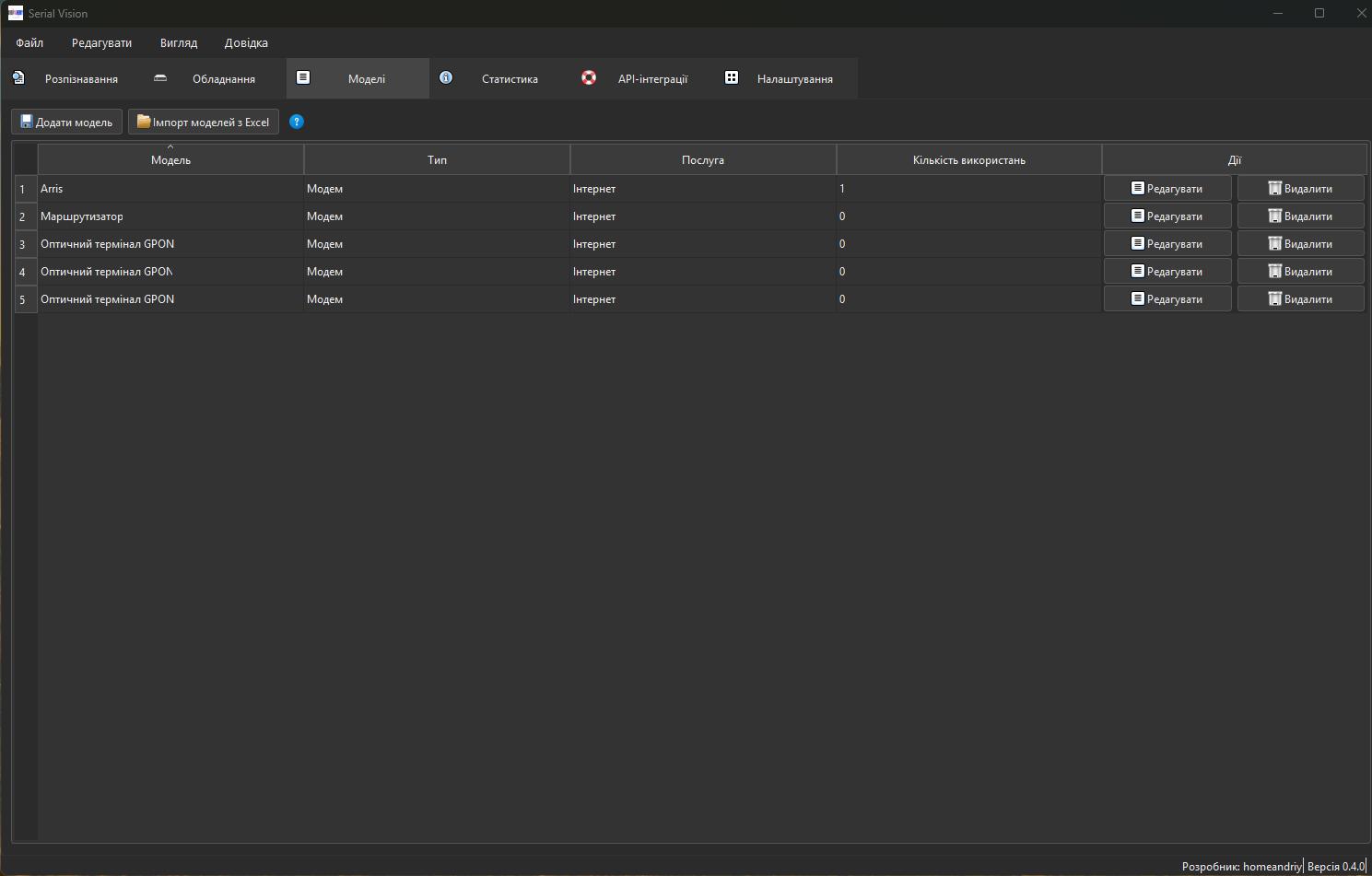
Recognition: OCR, barcodes, and AI
Equipment: filters, search, and CSV export
Models: directory and Excel import
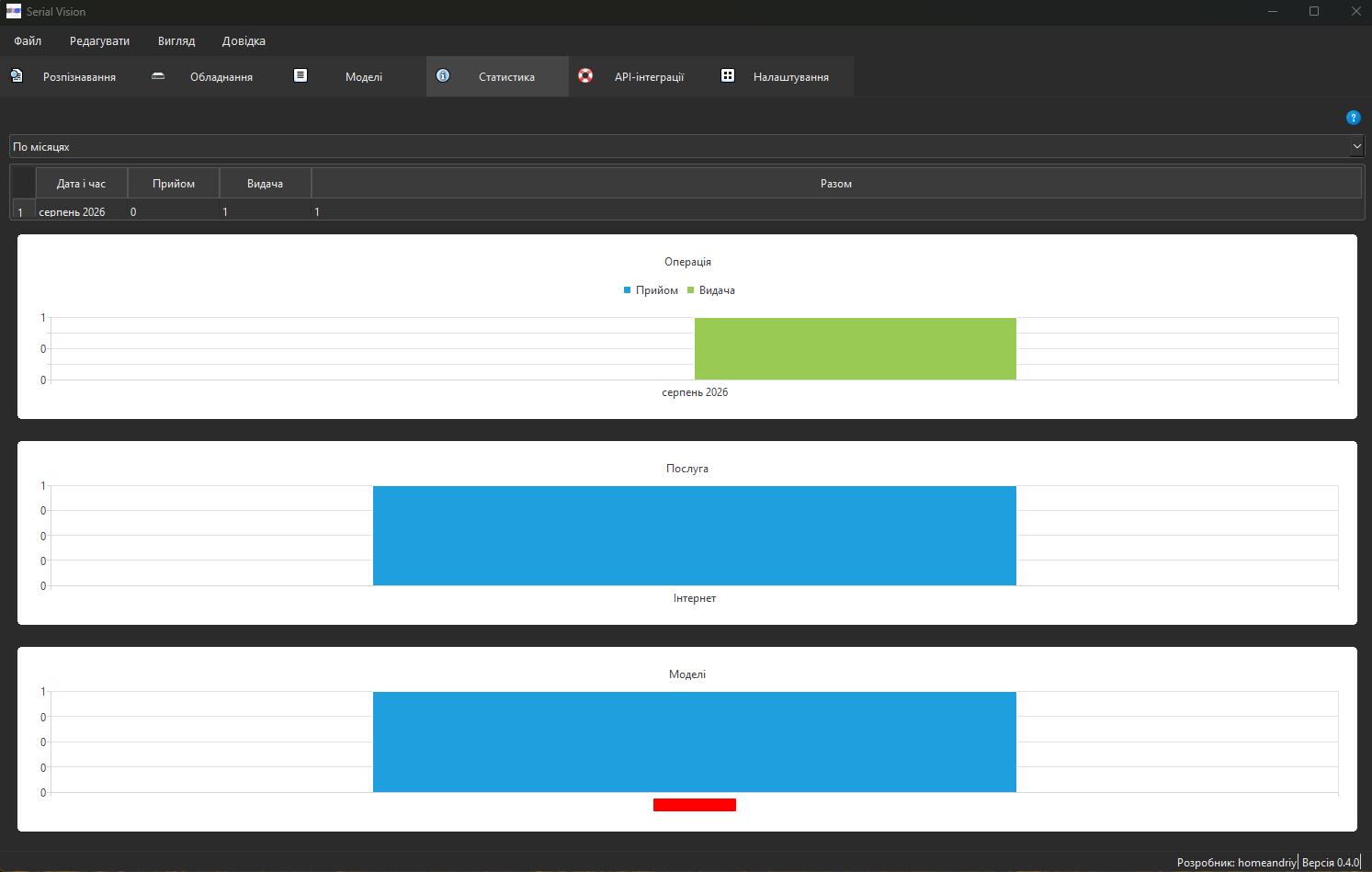
Statistics: operations, services, and models
API: Bearer keys and request limits
API: local operations log
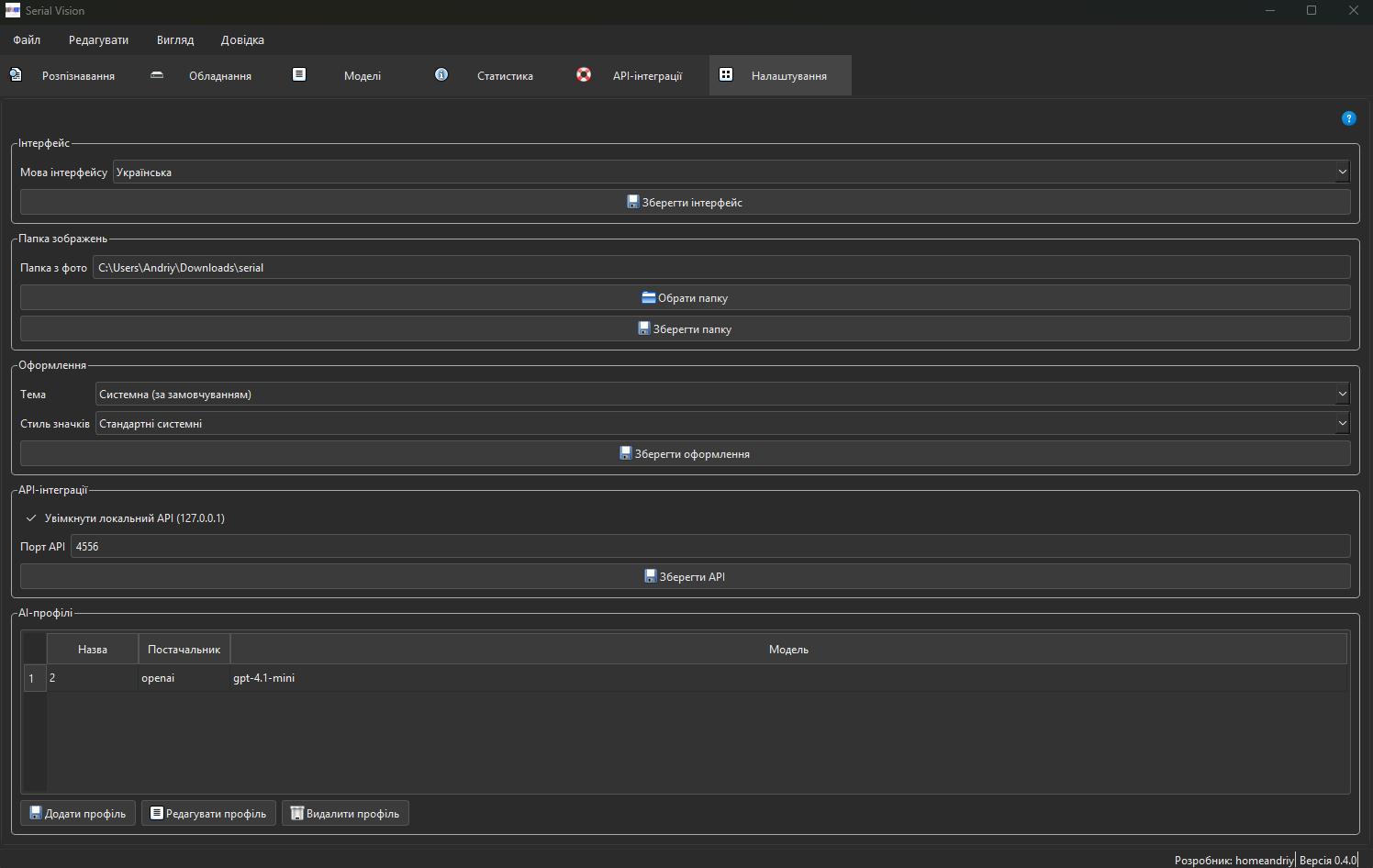
Settings: language, appearance, folder, and AI profiles

Ready to make equipment records faster and verifiable?

Download .exe